What a Freelancer Actually Needs from a To-Do List App
best to-do list app for freelancers4 min read
Explore the essential features freelancers need in a to-do list app, including estimates, capacity tracking, deadline warnings, and data export.
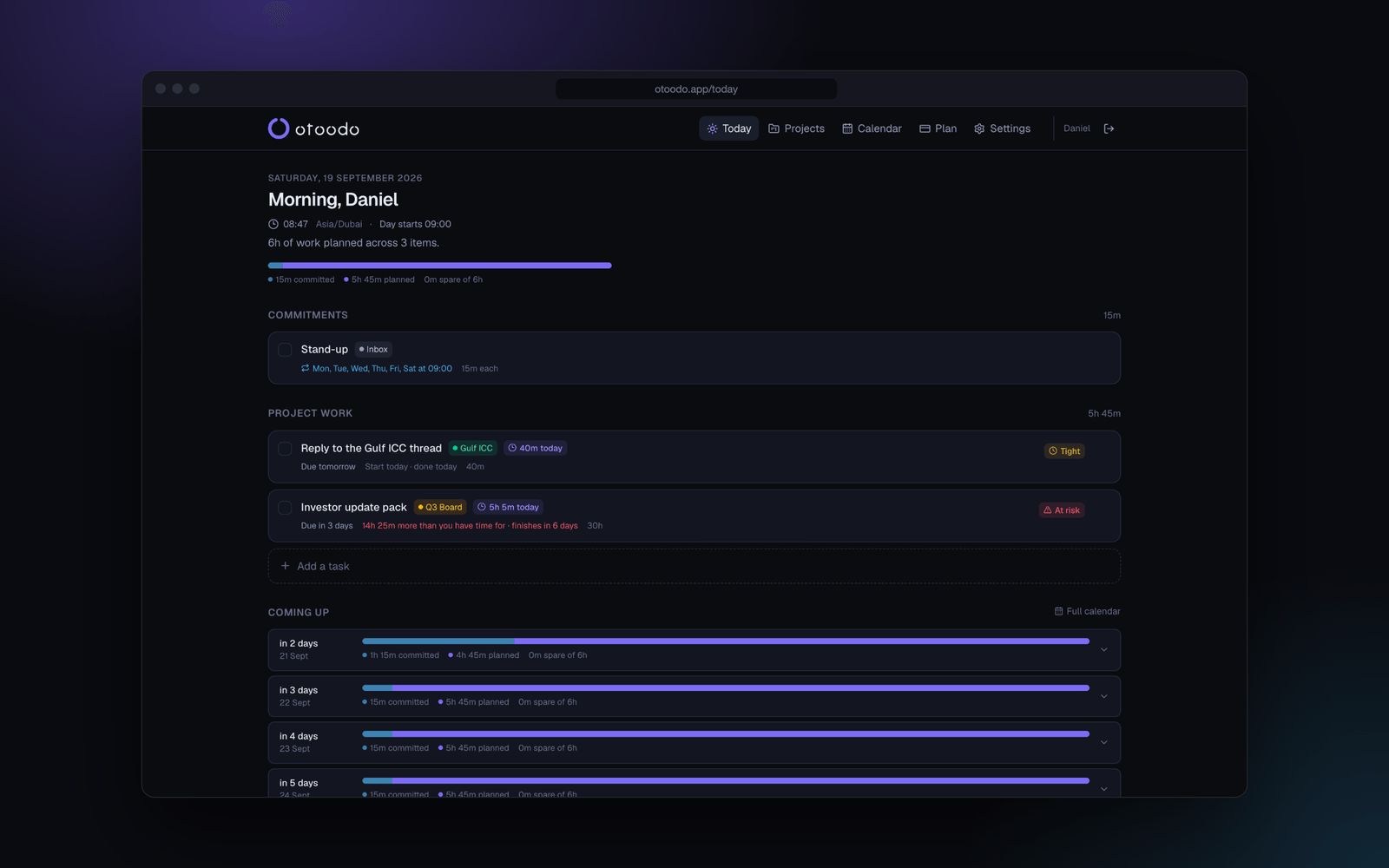
Freelancers juggle multiple projects, deadlines, and client expectations. A to-do list app can be a powerful ally in this chaotic environment, but only if it meets specific needs. The best to-do list app for freelancers goes beyond simple task management; it provides the tools necessary to manage time effectively, estimate workloads accurately, and warn of potential deadline slips. This article explores the essential features freelancers should look for in a to-do list app, ensuring they stay on top of their commitments without the stress of last-minute surprises.
The short version
- Estimates matter: Accurate time estimates help freelancers plan their days effectively.
- Capacity tracking: Knowing how much work fits into a day is crucial for meeting deadlines.
- Deadline warnings: Alerts about slipping deadlines ensure proactive adjustments can be made.
- Data export: The ability to export task data is essential for reporting and analysis.
Why Estimates Are Essential
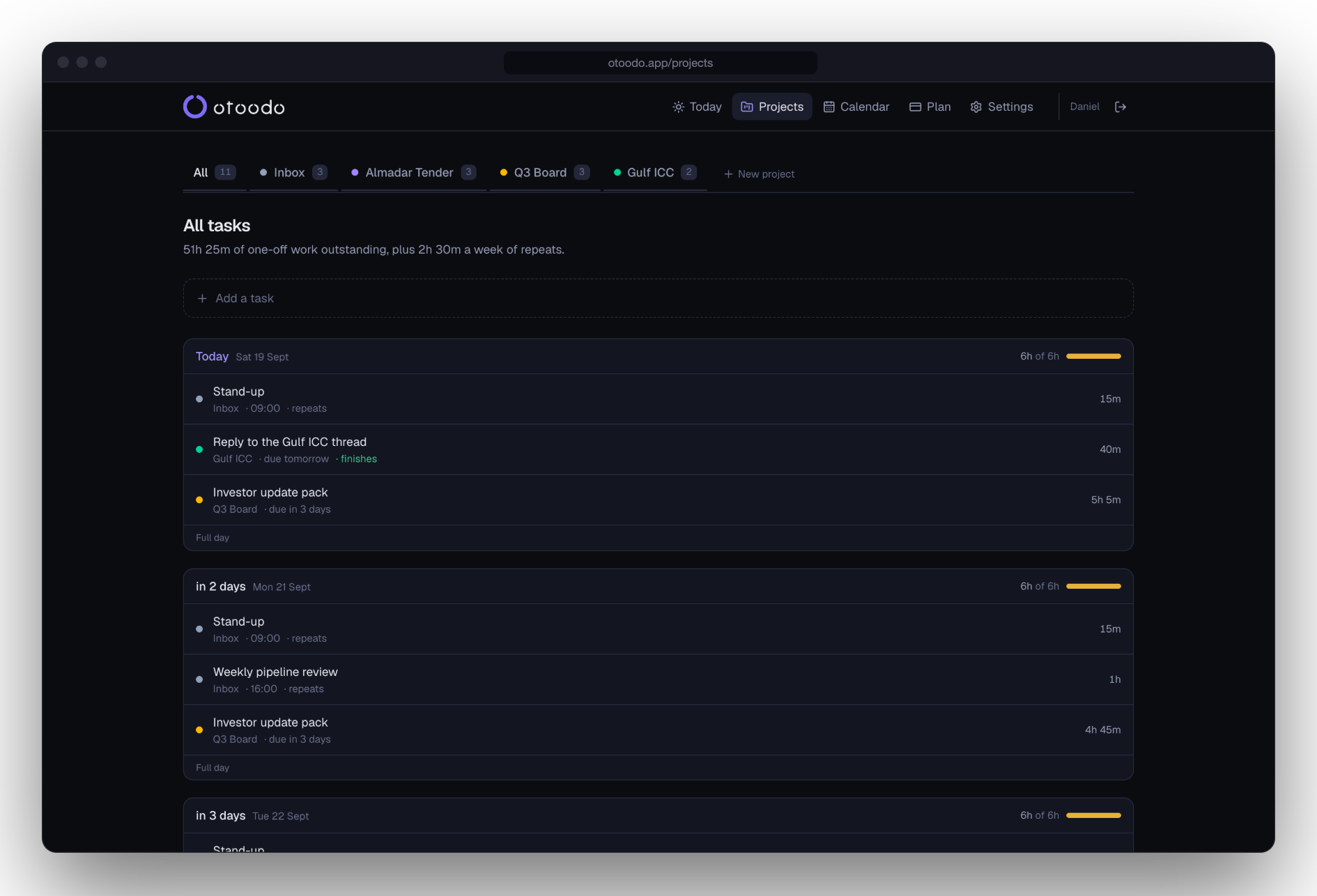
Estimates are the backbone of effective time management for freelancers. Without them, it's challenging to gauge how long tasks will take and whether they can fit into a workday. A good to-do list app should allow freelancers to input estimated times for each task, which helps in planning the day ahead.
For example, consider a freelancer with the following tasks:
Understanding Daily Capacity
Knowing how many hours can be dedicated to work each day is critical. Freelancers often underestimate their available time, leading to overcommitment. A robust to-do list app should allow users to set working hours per day and account for recurring commitments.
For instance, if a freelancer works 6 hours a day and has a recurring commitment of 2 hours each day, they effectively have 4 hours available for new tasks. This information helps freelancers plan their workload realistically.
Getting Ahead of Deadline Slips
One of the most stressful aspects of freelancing is the fear of missed deadlines. A good to-do list app should provide warnings when deadlines are at risk of slipping. This feature allows freelancers to adjust their workload proactively rather than reactively.
For instance, if a freelancer has a deadline approaching and their current workload exceeds their available hours, the app should flag this as a potential issue. This might look like:
- Task: Write blog post (3 hours)
- Current Workload: 4 hours of other tasks due on the same day
The Importance of Data Export
Freelancers often need to report their work to clients or for personal tracking. A to-do list app that allows for easy export of task data in formats like JSON or CSV can save time and enhance productivity. This feature enables freelancers to generate reports on completed tasks, time spent, and upcoming deadlines.
For example, a freelancer might need to present their progress to a client. With an export feature, they can quickly generate a report that includes:
- Tasks completed in the last week
- Hours logged against each task
- Upcoming deadlines
This level of transparency not only helps in managing client relationships but also aids in personal reflection and planning.
Who Should Use a Simple To-Do List
While sophisticated features are beneficial for many freelancers, some individuals may only need a basic to-do list. Those who have fewer projects or less complex workflows may find that a simple list suffices. If you are managing only a couple of tasks per day and do not have tight deadlines, a straightforward list may be all you need.
Here are some indicators that a simple to-do list may be enough:
- You work on one project at a time.
- Your tasks do not require detailed time estimates.
- You rarely miss deadlines and have a manageable workload.
Conclusion
Freelancers need a to-do list app that goes beyond basic task management. The best to-do list app for freelancers should include features like time estimates, capacity tracking, deadline warnings, and data export capabilities. These tools help freelancers manage their time effectively, ensuring they meet client expectations without the stress of last-minute scrambles.
For those who require more than just a basic list, otoodo offers a deadline-aware task planner that does the arithmetic. It knows how many focused hours each of your weekdays holds and computes what today must contain for every deadline to land. With otoodo, you can plan your workload accurately and avoid the pitfalls of overcommitment.
Fourteen days free, no card. Start your journey with otoodo today.